
REGISTERING ON THE APP
Step 1 COMPLETE THE REGISTRATION PROCESS
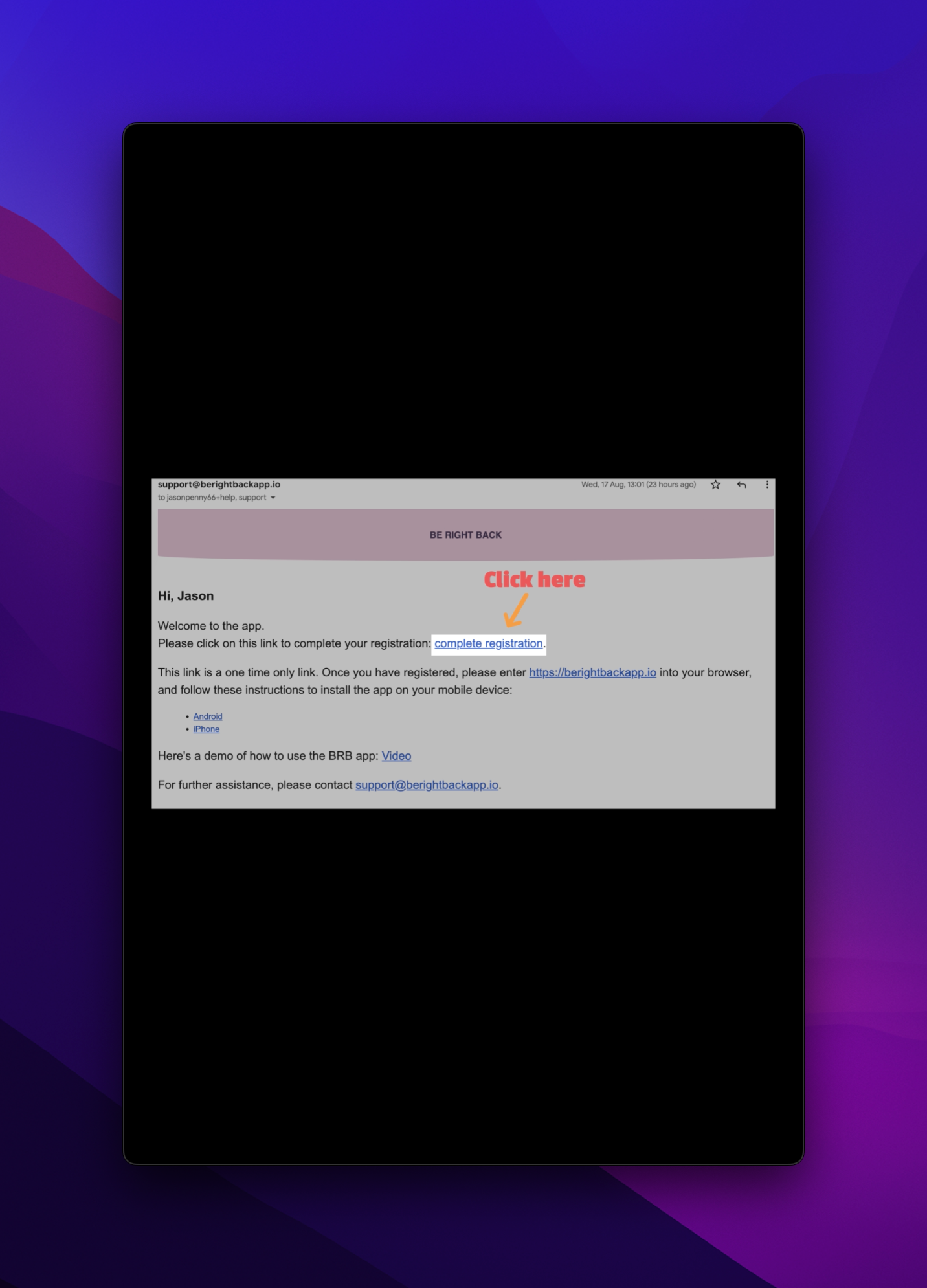
The first thing you'll need to do is head to your email inbox and look for an email from support@berightbackapp.io. The email looks like this.
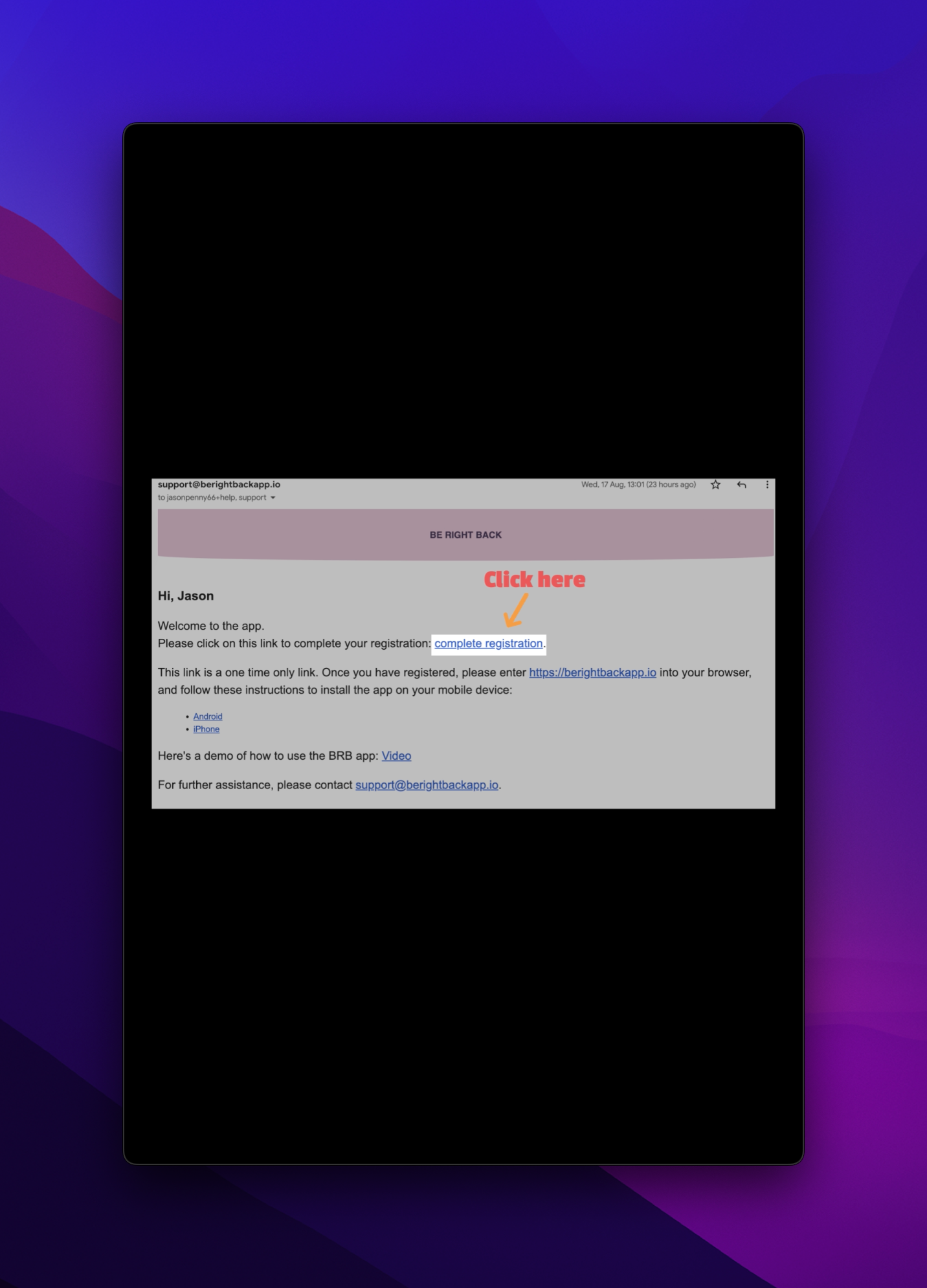
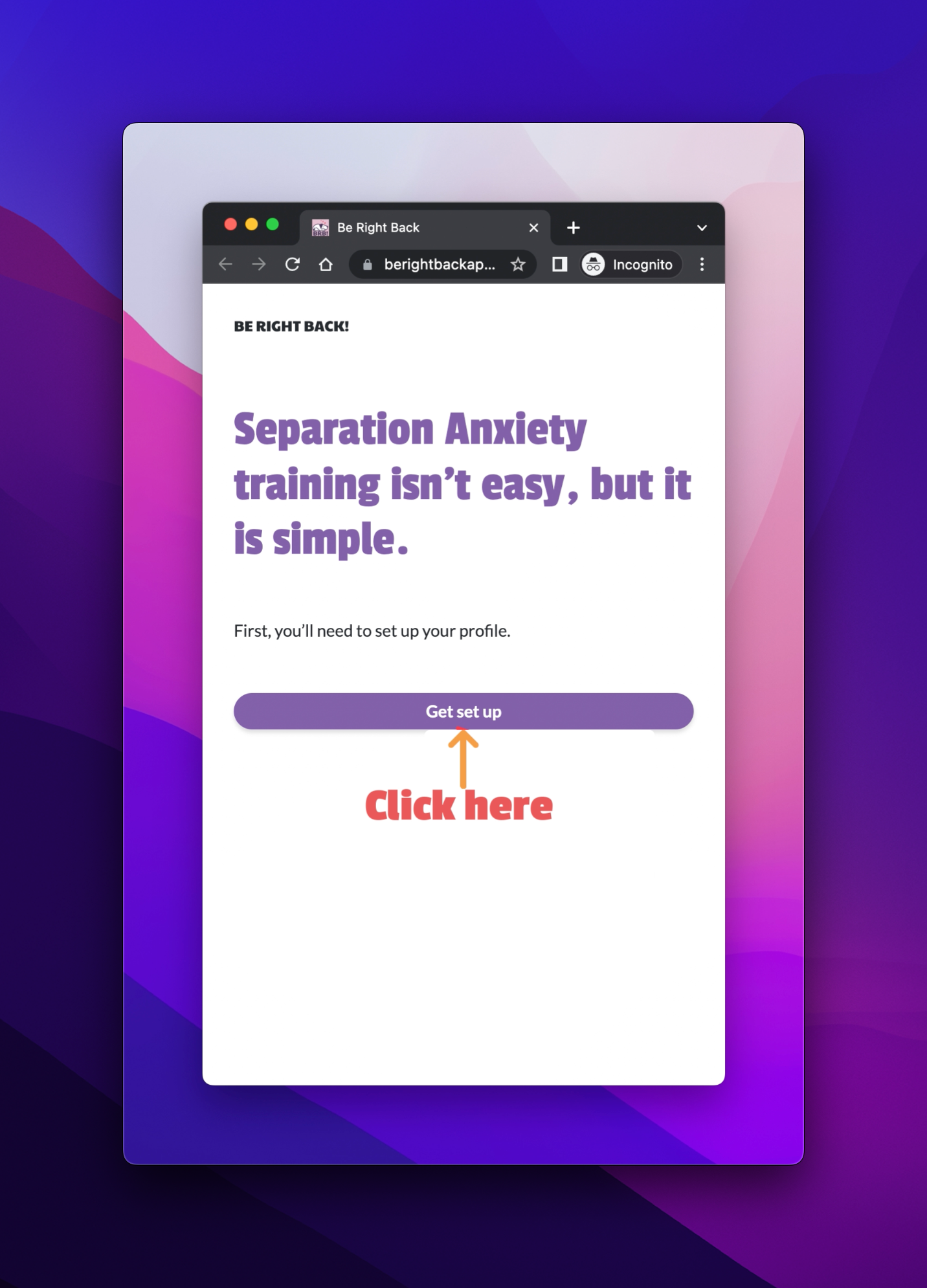
Click on the link in the email. You’ll be taken to a screen where you can go through the process of completing the registration.
Click on the “GET SET UP” button, then enter your details.
Then add your name and create your password. Have a look at the terms and conditions and agree to them.
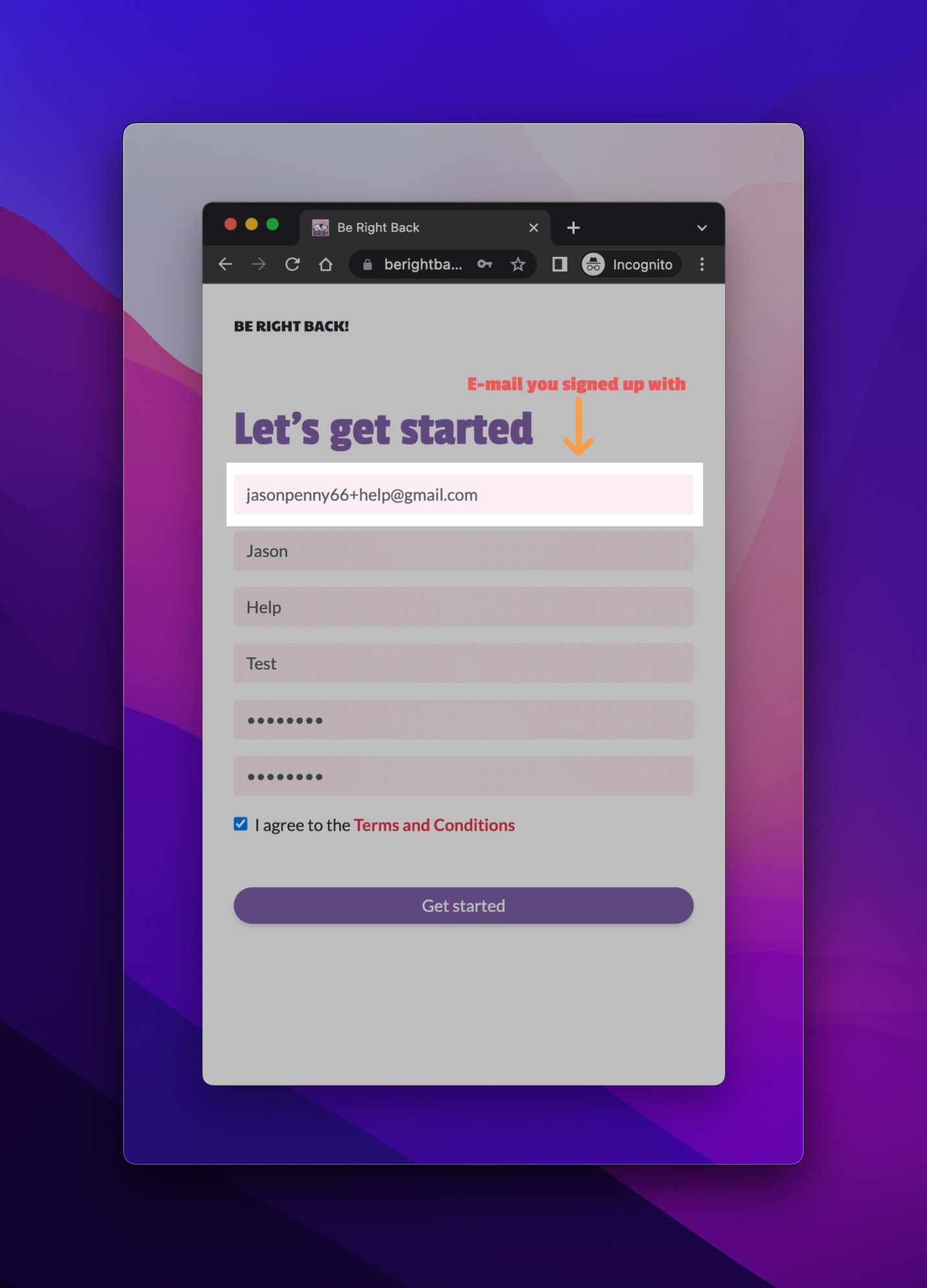
Now click “GET STARTED”.
You’ll be guided as to what to do next. Click “NEXT”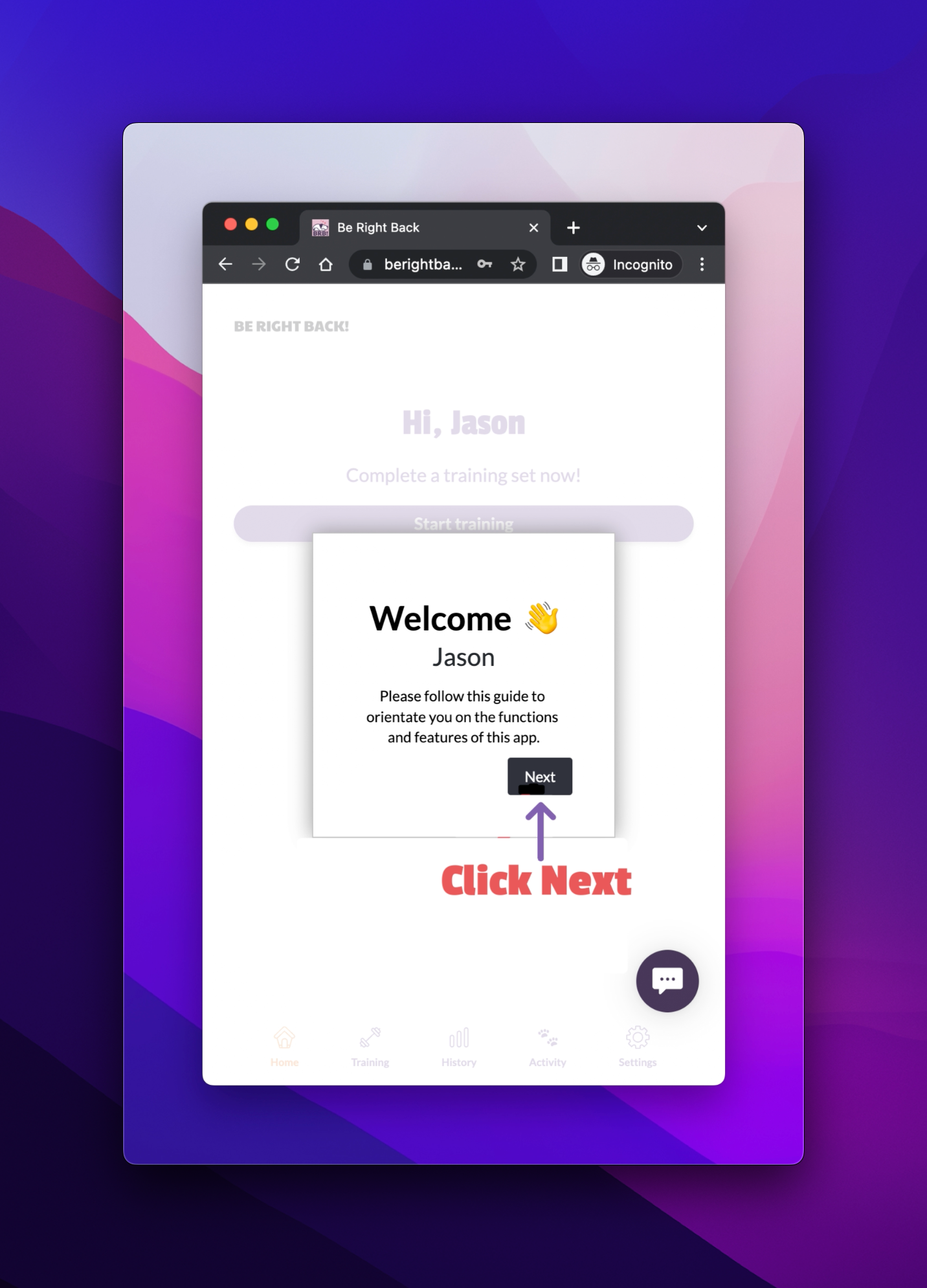 Before you click on the START TRAINING button, you need to finish setting up your profile.
 STEP 2 SET UP YOUR PROFILE
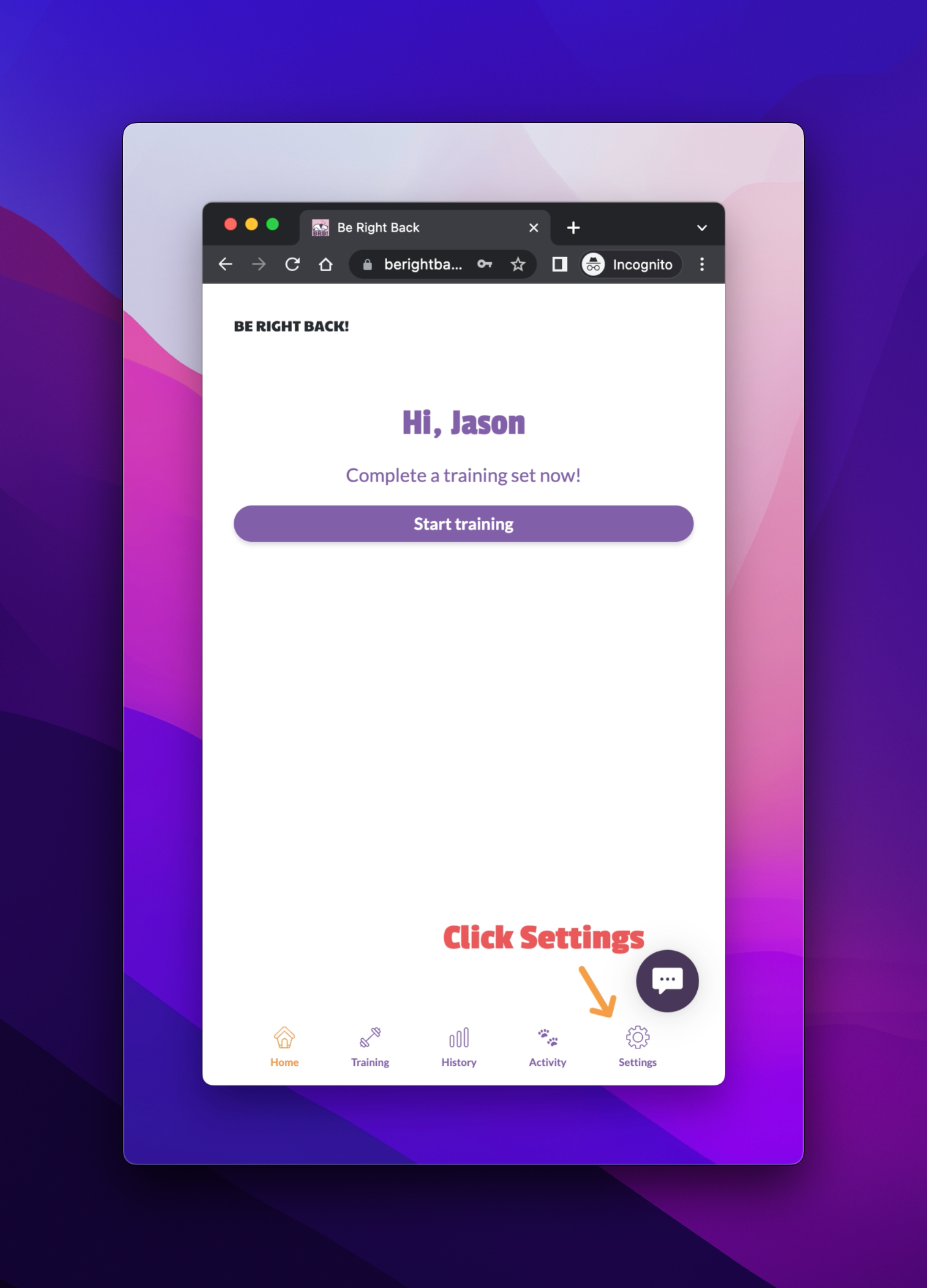
Click on settings in the bottom right-hand corner of the app screen.
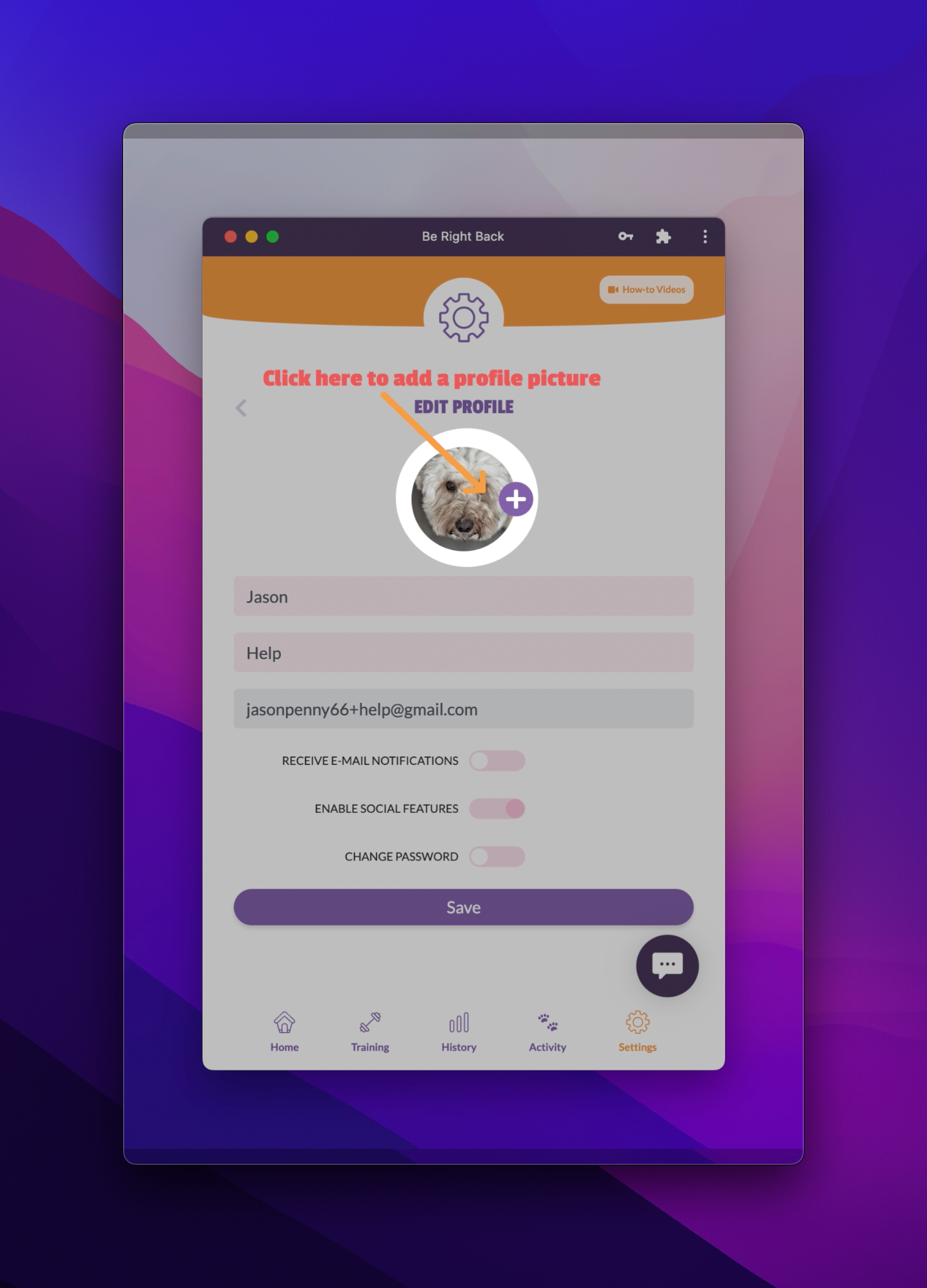
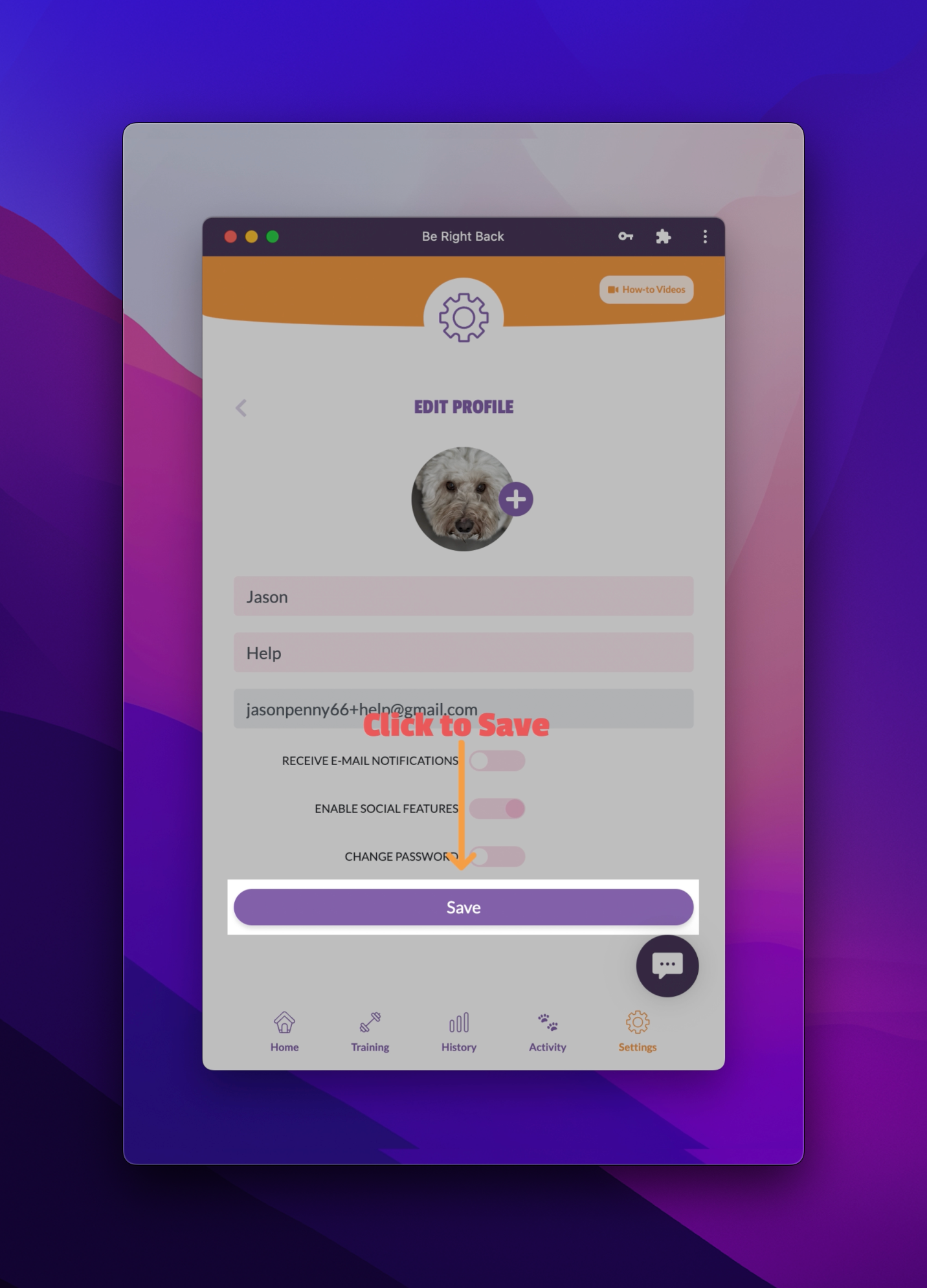
Go in and edit your profile here.
You can add your dog’s name and photo.
Click on the “+” against the circle to add a photo.
Make sure you add a .jpg or .png file.
The file must be smaller than 2MB.
You can also add up to three family members for free.
Click on “FAMILY MEMBERS”.
Add their first name, last name and email.
Then click “save”.


Your family members will also get an email similar to the one that you received initially [SEE ABOVE] with instructions on how they can complete their registration.
STEP 3 TURN ON SOCIAL FEATURES
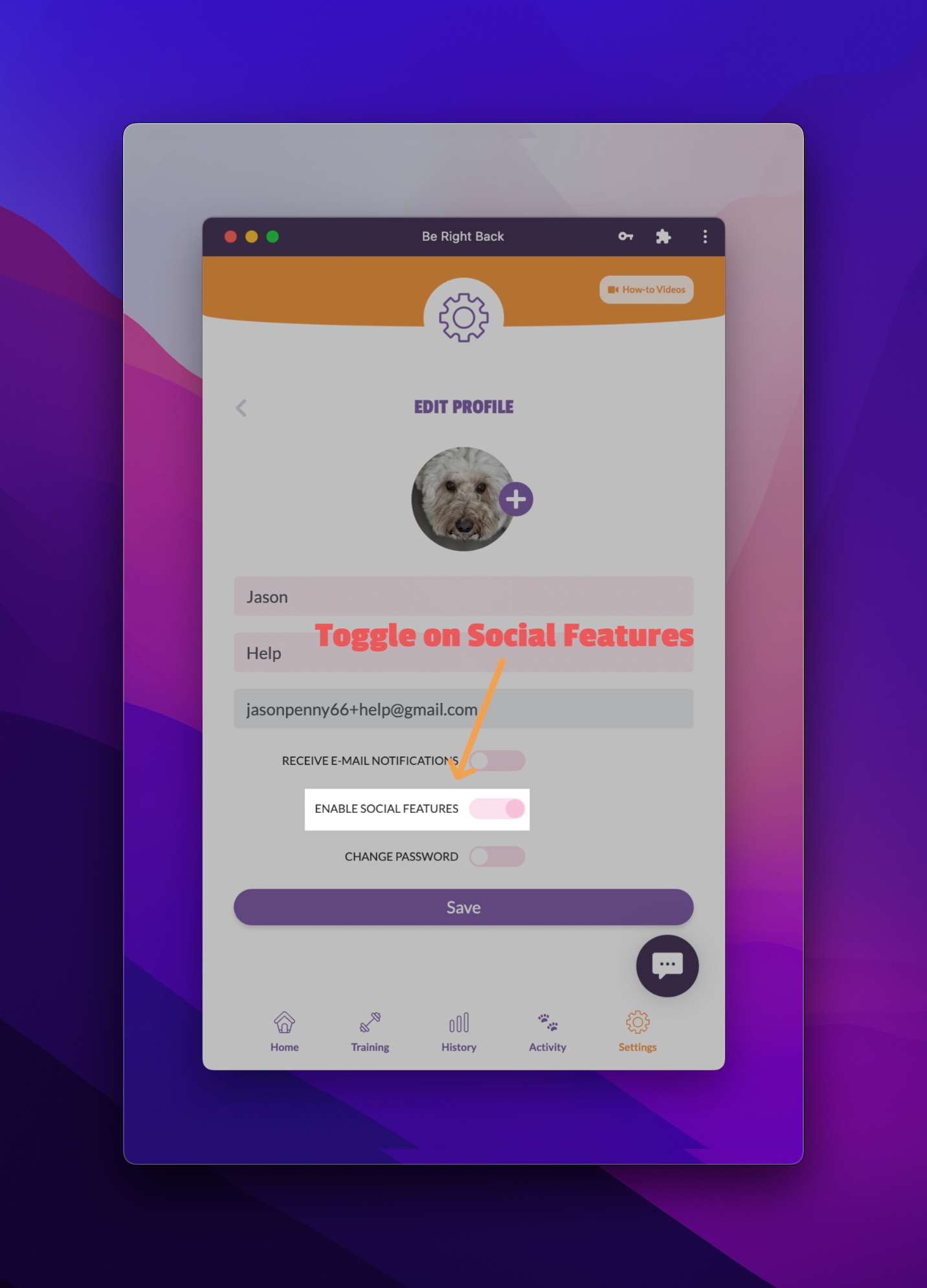
One really neat feature of the be right back training app is that we have social features. You need to enable social features in order for these to be switched on.
You will need to enable social features in order for these to be switched on.
What do social features involve?
Social features allow you to have friends to follow their activity and for them to follow your activity.
If you want to do that, make sure that you click enable social features.
Friends will be people who are also using the be right back app.
Click to watch video. 👇🏻👇🏻